Controller
The world’s first gesture-tracking manipulator controller.
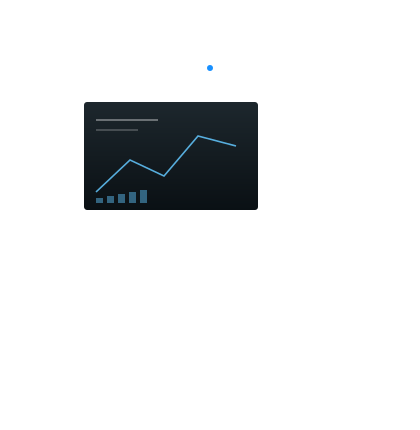
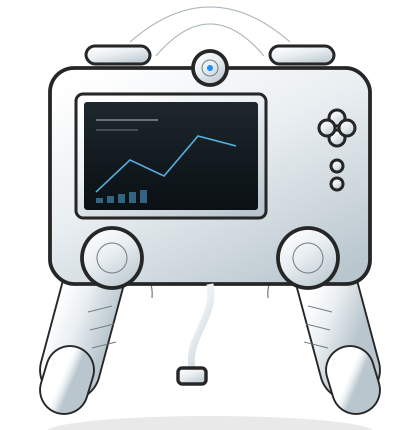
Point at the object. The arm follows. SubArm Ctrl reads bare-hand gestures through a depth sensor, then blends them with a touchscreen, joysticks, Joy-Con, SpaceMouse or keyboard and mouse.
Inputs
Six ways to drive an arm.
The controller is the interface, not the language. Any input produces the same ROS 2 command, so a pilot can switch mid-dive.
Gesture
Bare-hand tracking through the depth sensor. Open, close, rotate and translate with the hand.
Touchscreen
A live joint and camera view. Tap a tool, switch arms, set a limit.
Joystick
Two hall-effect sticks for fine Cartesian control when the water is moving.
Joy-Con
Detachable controllers for a second operator or a cramped control room.
SpaceMouse
Six-degree-of-freedom puck for precise orientation of the wrist and tool.
Keyboard & mouse
Scripted moves, waypoints and the full register map for commissioning.
Gesture
Point. The arm follows.
Hand position maps to a point in space; hand orientation maps to wrist angle; pinch maps to grip. Spatial inverse kinematics solves the joints in real time, so the operator thinks about the task rather than the axes.
- Depth-sensor gesture tracking, no gloves or markers
- Cartesian and joint modes, switchable mid-move
- Works with one arm or a Duo pair
Software
Control software, not a black box.
Spatial inverse kinematics
Cartesian moves are solved on the host or the controller, with joint limits and continuous-rotation handling built in.
Open protocol / ROS 2
A documented register map and a ROS 2 package. Publish a pose, read the joints, or drive the tool channel directly.
Windows / Linux
Host software for both, plus a headless mode for vehicle-side deployments.
# SubArm ROS 2 — command a Cartesian pose
ros2 run subarm_ctrl pose_command \
  --arm duo_left \
  --position 0.42 -0.11 0.18 \
  --orientation 0 0 1 0 \
--grip 0.6Questions
About SubArm Ctrl.
Do I need SubArm Ctrl to use the arm?
No. Every arm exposes the same CAN and ROS 2 interface, so a third-party controller or an autonomous stack can drive it. SubArm Ctrl is the piloted option.
What does gesture control feel like?
Position is absolute within the working envelope: move your hand right and the tool moves right. Pinch closes the jaw. The depth sensor is not affected by gloves or turbidity the way a camera-based system can be.
Can one controller drive both Duo arms?
Yes. The controller selects an arm, or links both for cooperative moves. The second operator can also attach a Joy-Con for independent control.
SubArm Ctrl
Operate by hand. From anywhere.
Request the controller notes, the ROS 2 topics and the input mapping, or book a remote demonstration.